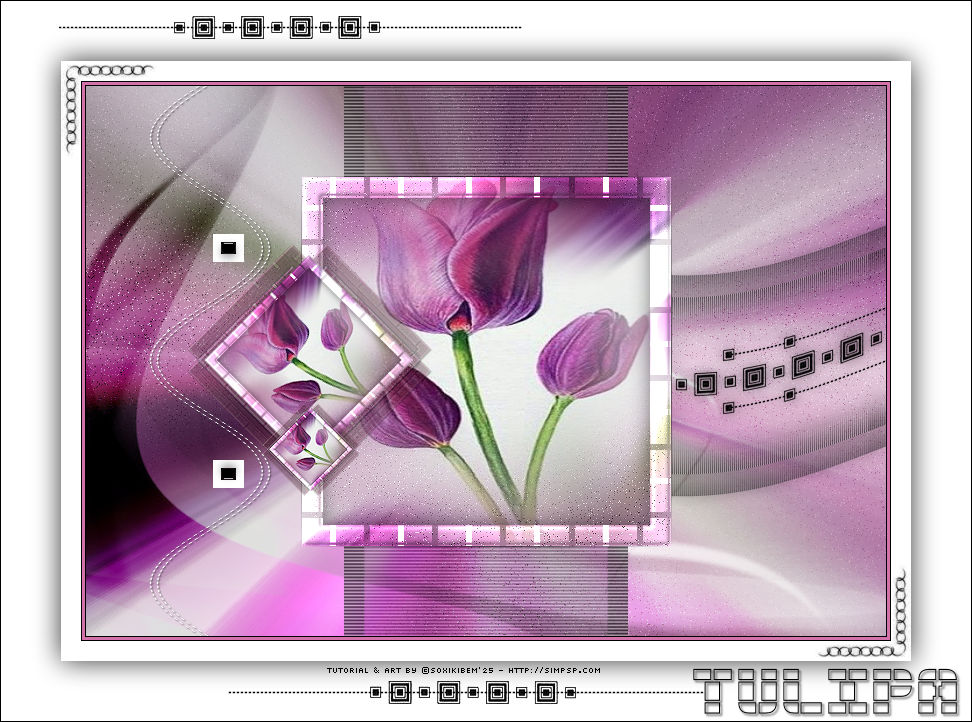
|
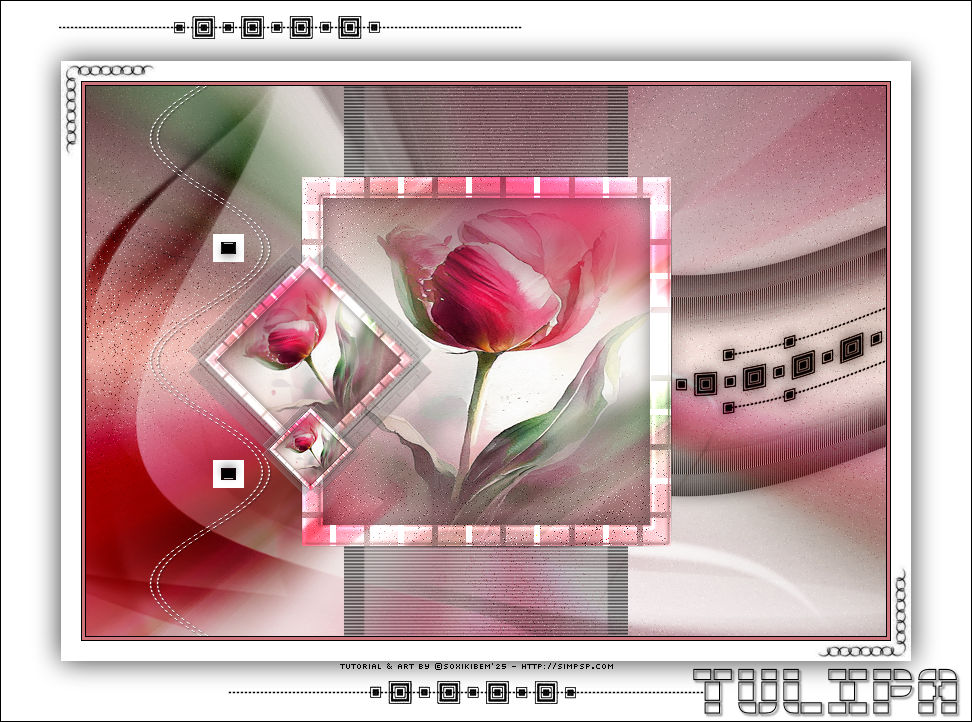
Entre brumas de cor e
silêncio,
TRADUÇÕES:
O Sim
PSP valoriza e reconhece o trabalho das tradutoras que tornam os
tutoriais acessíveis a diferentes idiomas.
MATERIAL: 1 Misted Floral à sua escolha Selectio: 310_Xiki1 (Salvar na pasta Selection do seu PSP) Nara Masks: Narah_Mask_1342 Outros Materiais by Soxikibem
PLUGINS: AP (Pattern) > Pattern - Pads Filter Factory Gallery B > Button Deluxe Toadies > What Are You? VanDerLee > UnPlugged X v 2.0
Tutorial elaborado no PSP 2022 Testado e revisado por Márcinha no PSP 2020.
Agradeço às Tubeiras pelos Tubes e Masks, pois sem eles não seria
possível criar este trabalho.
TUTORIAL
*Deletar a Marca D'água de todos os materiais. Cor 3: #cd757b Cor 4: #000000 Cor 5: #ffffff
2 - Abra uma imagem
transparente de 800x550px.
3 - Adjust > Add/Remove Noise > Add Noise.
4 - Layer > New Raster Layer. Selections > Select All. Edit > Copy no Misted Floral. Edit > Paste Into Selection. Selections > Select None.
5 - Effects > Image Effects > Seamless Tiling: Default. Adjust > Blur > Motion Blur, por 3 vezes.
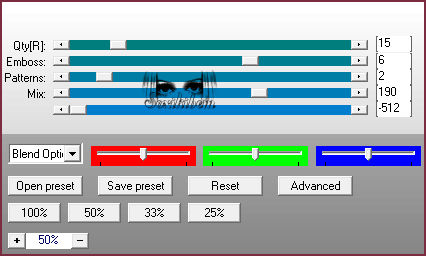
6 - Plugin Filter Factory Gallery B > Button Deluxe.
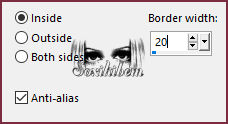
7 - Layers > Merge > Merge Down. Seletions > Load/Save Selections > Load Selection From Disk: 310_Xiki1. Selections > Promote Selection to Layer. Selections > Modify > Select Selection Borders.
8 - Layers > New Raster Layer. Pintar com a cor 5 #ffffff (Branco). Plugin AP (Pattern) > Pattern - Pads.
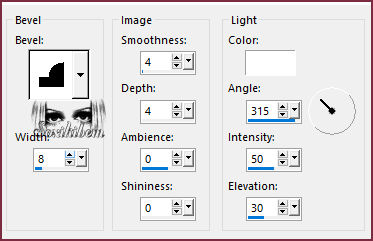
9 - Effects > 3D Effects > Inner Bevel.
Layers > Properties > General > Blend Mode: Dodge.
10 - Ativar a Layer Promoted Selection. Seletions > Load/Save Selections > Load Selection From Disk: 310_Xiki1. Edit > Copy no Misted Floral. Edit > Paste Into Selection. Adjust > Sharpness > Sharpen.
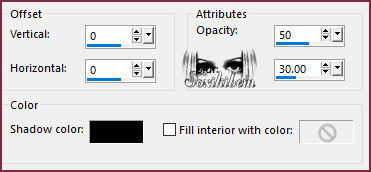
11 - Selections > Modify > Contract: 20. Layers > New Raster Layer. Effects > 3D Effects > Cutout.
Selections > Select None.
12 - Fechar a visibilidade da Layer Raster 1. Layers > Merge > Merge Visible. Abrir a visibilidade da Layer Raster 1.
13 - Com a Layer Merged ativada. Layers > Duplicate. Image > Resize: 40%, all layers desmarcado. Image > Free Rotate.
Adjust > Sharpness > Sharpen.
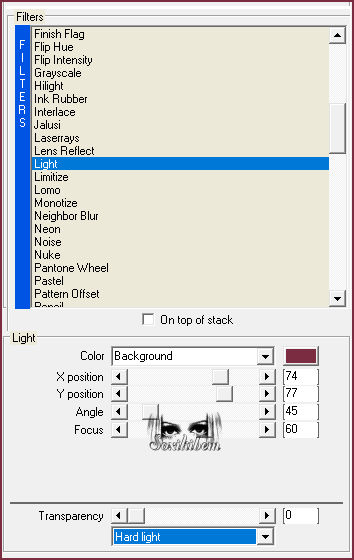
14 - Layers > Duplicate. Plugin Toadies > What Are You?.
15 - Layers > Arrange > Move Down. Effects > Edge Effects > Enhance More. Effects > 3D Effects > Drop Shadow: 1, 1, 100, 0, cor #000000 (preta). Ativar a Layer Copy of Merged (Topo). Layers > Merge > Merge Down. Pick Tool: Position X:: 101, Position Y:: 158.
16 - Layers > Duplicate. Image > Resize: 40%, all layers desmarcado. Adjust > Sharpness > Sharpen. Pick Tool: Position X:: 176, Position Y:: 317.
17 - Ativar a layer Raster 1. Layers > New Raster Layer. Pintar com a cor 5 #ffffff (Branco). Layers > New Mask Layer > From Image: Narah_Mask_1342.
Layers > Merge > Merge Group.
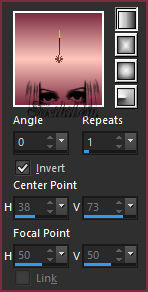
18 - Plugin VanDerLee > UnPlugged X v 2.0.
Image > Mirror > Mirror Vertical. Layers > Properties > General > Blend Mode: Overlay.
19 - Edit > Copy no Decor310_Xiki.
Edit > Paste As New Layer. Pick Tool: Position X: 540, Position Y: 127. Layers > Properties > General > Blend Mode: Luminance (L).
20 - Edit > Copy no Decor310_Xiki3. Edit > Paste As New Layer. Pick Tool: Position X: 258, Position Y: 0.
21 - Edit > Copy no Decor310_Xiki2. Edit > Paste As New Layer. Pick Tool: Position X: 63, Position Y: 0.
22 - Image > Add Borders > Symmetric: 1px com a cor 4 #000000 (Preto) 3px com a cor 3 #cd757b 1px com a cor 4 #000000 (Preto) 20px com a cor 5 #ffffff (Branco) Selections > Select All.
23 - Image > Add Borders > Symmetric: 60px cor 5 #ffffff (Branco) Effects > 3D Effects > Drop Shadow: 0, 0, 80, 40, cor #000000 (Preto) Selections > Select None.
24 - Edit > Copy no Decor310_Xiki4. Edit > Paste As New Layer. Pick Tool: Position X: 59, Position Y: 63.
25 - Edit > Copy no Decor310_Xiki5. Edit > Paste As New Layer. Pick Tool: Position X: 58, Position Y: 14.
26 - Image > Add Borders > Symmetric: 1px cor 4 #000000 (Preto).
27 - Edit > Copy no Creditos-bySoxikibem. Edit > Paste As New Layer. Posicione como preferir.
Porque cada detalhe faz
diferença... Presentinho Especial para
você usar.
Versão:
Créditos: Formatação, Arte Final e Tutorial by Soxikibem Tube Principal: Tubed by Pqna&Alice Mask: by Narah Outros Materiais: by Soxikibem
Sinta-se à vontade para enviar suas versões. Terei todo o prazer em publicá-las em nosso site.
Envie sua versão para o e-mail:
SimPSP Redes Sociais
|